


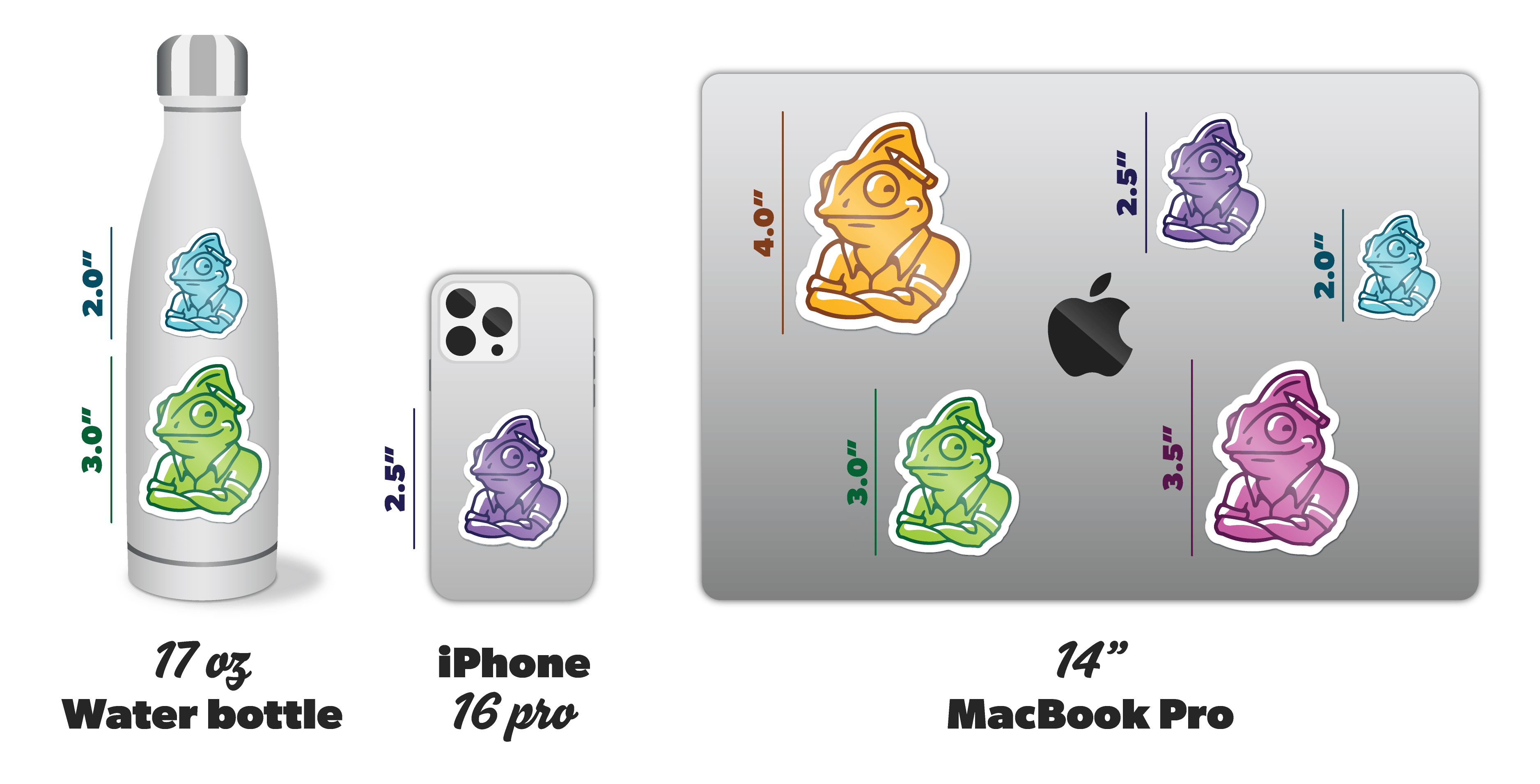
For most laptops, water bottles, and notebooks, 2" to 4" is the right size. Phones take 1.5" to 2.5". Sticker size is measured across the finished cut line, on its longest side, so a 3" sticker is 3" at its widest point, whatever shape it is. We print stickers from 0.5" to 24" on the longest side; anything bigger is a quote.
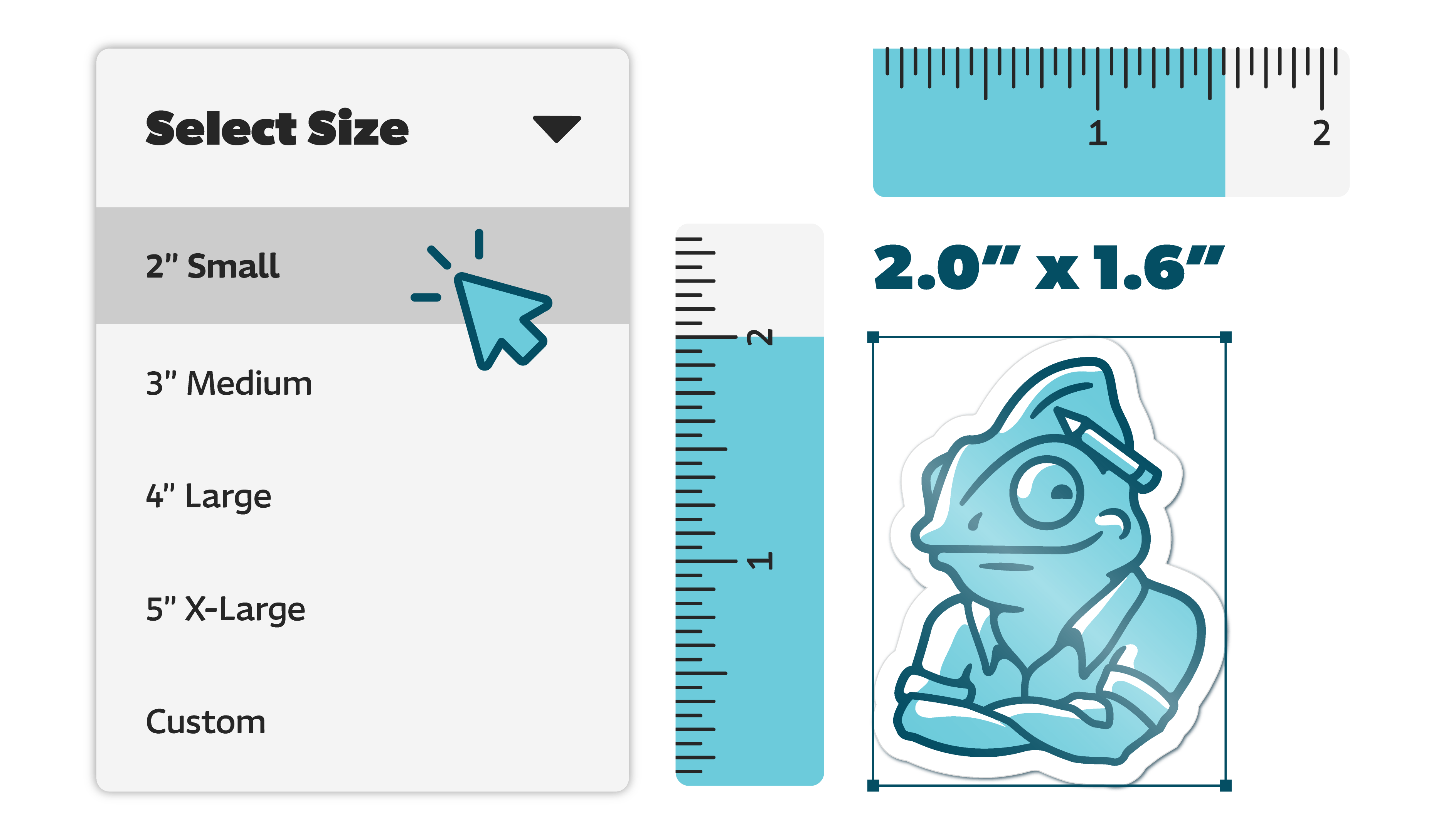
How size is measured
A sticker is measured by its cut line, the finished shape, not by the file the artwork came on.
A logo in the middle of a big transparent canvas still comes out at the size you chose, because we measure the sticker, not the canvas. The size you choose is the longest side of the finished shape. The other side follows your artwork's proportions, so a wide design ordered at 3" comes out 3" wide and less than 3" tall. We never stretch or squash a design to fill a size.
Standard sizes and custom sizes
- A standard size like 3" sets the longest side to exactly 3".
- A custom size is a box you type in, say 4" × 2". We fit your artwork inside that box at its own proportions, so one side meets the box and the other may come in a little short. Why isn't my sticker the exact width and height I entered? explains this.

Your proof states the finished size before anything prints. On White and High-Tack vinyl, you can also see it before you order: upload one design, then press "Draw It Now" in the optional "See Instant Sticker Proof" box. The "Live Sticker Proof" shows the sticker's width and height, measured along the sticker. How to use the Live Sticker Proof walks through it.
You don't need a template to set up your file. Send your artwork and choose a size, and we size the sticker by its cut line. Sticker and label templates explains why.
Hold a ruler up first
Measure the space where the sticker is going, then hold a ruler against it and look at the real size.
Most people guess too small. A 2" sticker is smaller than it sounds, about the width of two bottle caps side by side. A 3" sticker is the everyday size for laptops and water bottles.
Size guide by where it goes
| Where | Usual size |
|---|---|
| Water bottle, laptop lid, notebook | 2" to 4" |
| Phone case | 1.5" to 2.5" |
| Hard hat, helmet, toolbox | 2" to 3" |
| Envelope seal or party favor | 1.5" to 2.5" |
| Bumper | about 3" × 10" to 11" |
| Product on a jar or bottle | Measure the container (see below) |
| Window or storefront | Read from a distance, so bigger than feels right |
On a curved surface like a water bottle, a design that is tall instead of wide sits flatter. Putting a sticker on a curved surface explains why.
Labels are a different question
For anything going on a product, measure instead of guessing. Measure the flat area of the container, not the curve where it starts to turn away, and leave a margin. That gives you the label size.
Send us that label size, or a drawing of the label's shape from your packaging supplier (sometimes called a dieline) if you have one. How to measure a jar or bottle for a label walks through the measuring.
Small detail sets a minimum size
Small text and fine lines stop being readable below a certain size, on any printer. Keep text at least 6 pt at the printed size, or 8 pt for thin (light or script) fonts, and lines at least 1 pt. If your design has a tagline, an ingredient list, or a thin outline, that detail decides your smallest workable size, not the space you had in mind. Fonts that survive printing has more.
Ordering
The minimum is 25 of a design on Custom Stickers. Price is set by size, quantity, and material. The calculator on the product page shows the exact price before you add anything to your cart, so you can compare sizes before you choose. To hold one first, the 15 Custom Sticker Sample prints 15 of your design on white vinyl, at the size you choose.